Are you following? The New Way to Connect on TheGrint
Sam O'Brien
10 minutes
Over the last several years, the way golfers engage, play, and follow the game has changed.
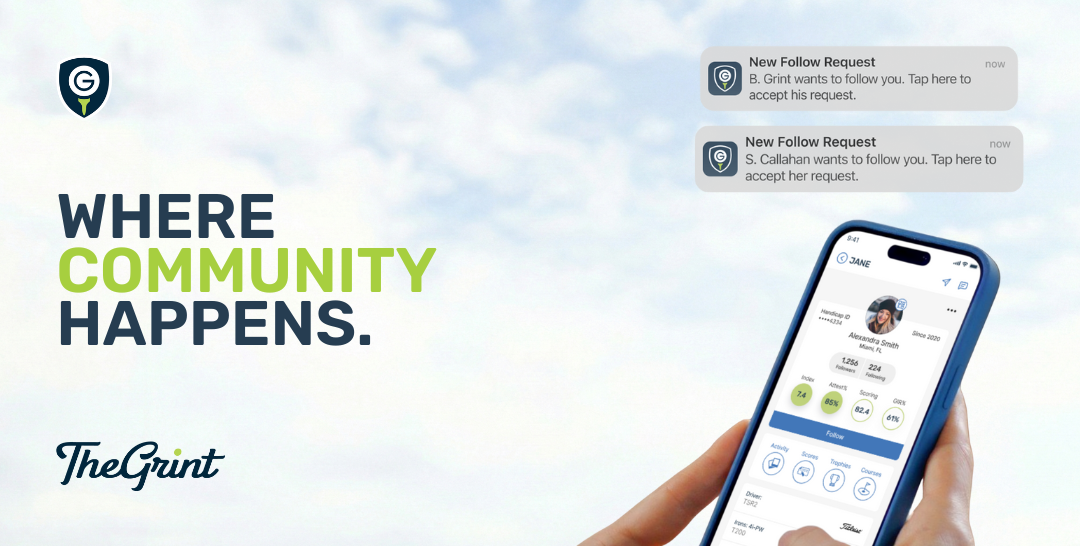
That’s why TheGrint has transitioned from a two-way friends system to a one-way following system. This change is live as of version 18.0.0, released January 7, 2026.
The short version (TL;DR)
For most golfers, nothing really changes. If you use TheGrint for score posting and playing with a small group, the app works the same as always.
Connections are more flexible. You can now follow golfers without needing a mutual friend connection, while still keeping full control over privacy and score posting.
Trust is intentional. Following someone means trusting them with score uploads, while people who follow you don’t get that access by default.
And if you're interested, is the full breakdown on why we made this change and how it works.
For most golfers, nothing really changes
If you use TheGrint to post scores, track your handicap, and play with a small circle of golf friends, the app will feel the same as it always has.
Same score posting
Same stats
Same core experience
This update isn’t about taking anything away. It’s about making the social side of golf match how people actually use TheGrint today.
What’s staying the same
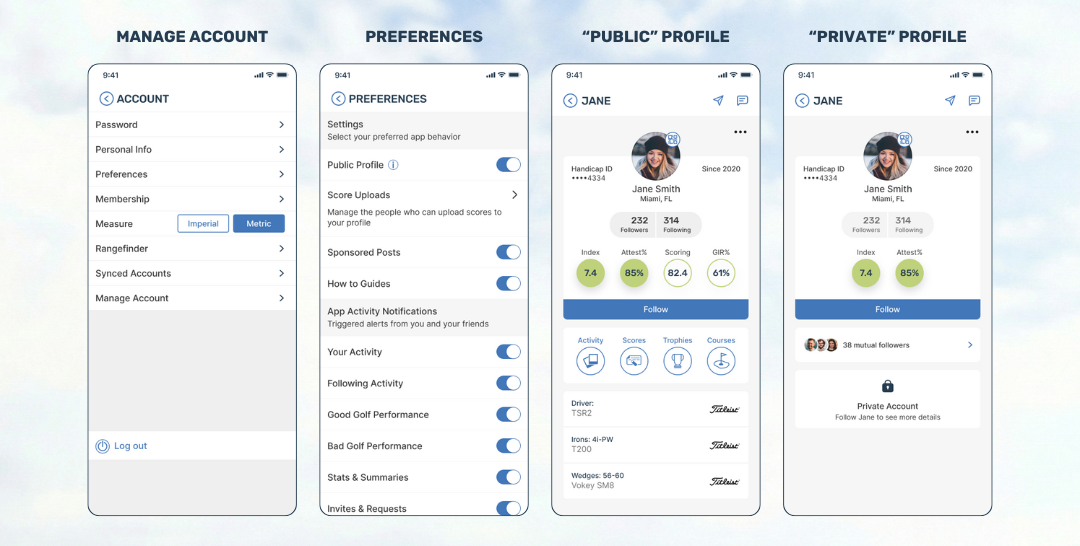
You can still choose a public or private profile
You can still play solo, with friends, or with your regular group
If you mainly care about score posting and handicap tracking, you’ll barely notice a difference
TheGrint remains, first and foremost, a golf app.
How connecting works now
Previously, every connection on TheGrint required a mutual friend request and acceptance. That was true regardless of whether accounts were public or private.
Now, connections are based on following.
Public Profiles
Anyone can follow a public account instantly
Public profiles can be viewed in full, whether or not someone follows the account
Public profiles show scorecards, trophy room, courses, rankings, bag, and activity feed
Public accounts can be added in features like “Switch Golfer”
Private Profiles
Private profiles show a limited, partial view
Users must request to follow a private account
The profile owner must approve the request
Once approved, the follower can view the full profile, activity feed, and live scores
Private accounts cannot be added in features like “Switch Golfer” unless the user is an approved follower
Your previous privacy setting before this new version carries over automatically.
Followers vs friends
With this update, relationships are no longer forced to be mutual.
Followers
Anyone who follows you is a follower, regardless of whether you follow them back
Followers can see:
Your activity feed posts
Your live scores, if your round settings allow it
Performance notifications, if enabled in your settings
Friends
When two users follow each other, they are considered friends
Friends have a mutual connection, but that status is now earned naturally rather than required upfront
This reflects how golf relationships actually work.
Why we made this change
Golf relationships aren’t all the same.
Sometimes your Golf world includes:
Your weekly foursome
Your club buddies
Family you play with regularly
Other times, it includes:
Someone you play with occasionally
A great golfer you enjoy keeping up with
A creator whose rounds you like to follow
A local course or pro you want updates from
Those relationships are often one-sided. Forcing every connection to be mutual created friction, especially as TheGrint has grown.
Following allows:
One-way connections where they make sense
A broader golf community without clutter
Close golf relationships to stay close, without limiting everything else
Score uploading is separate from social connections
One important thing to understand:
Your relationship to someone and your profile privacy are not automatically tied to score uploading. You have explicit controls about if/how scores get uploaded on your behalf.
New score uploading permissions
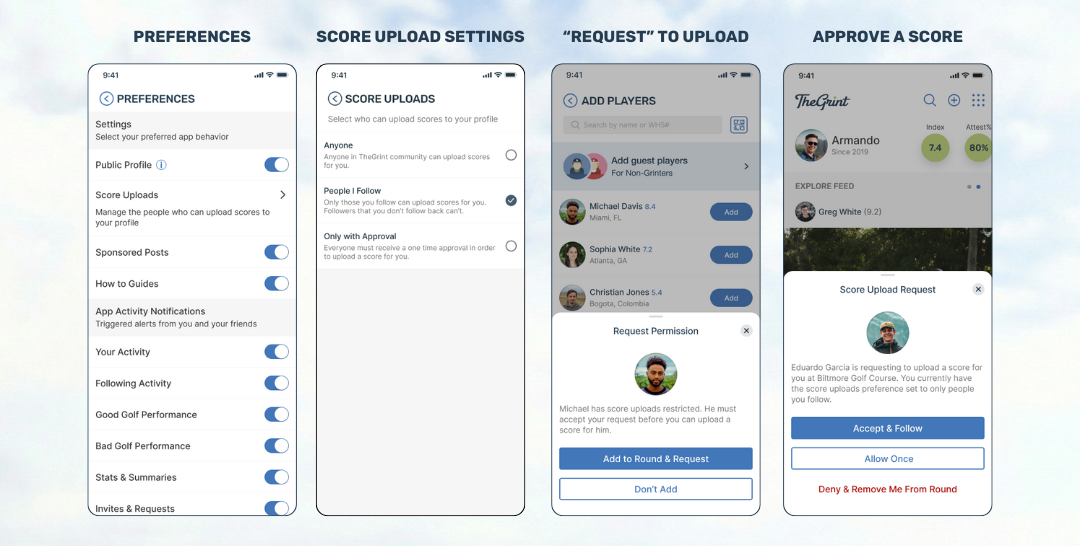
You can choose who is allowed to upload scores on your behalf:
Everyone
Only people you follow
Only yourself
If someone tries to upload a score for you and doesn’t have permission:
You can grant one-time access, or
You can grant access and follow them, making it permanent
A simple rule of thumb:
Following someone = trusting them with score uploading
Being followed = visibility, not access
If someone follows you but you don’t follow them back, they cannot upload scores for you unless you explicitly allow it.
This keeps private golfers protected and creators fully in control.
For creators and community builders
If you’re building an audience around your golf game, this update unlocks something new.
You can now:
Invite your audience to follow you on TheGrint
Share your custom profile link directly from your profile (look for the paper airplane icon in the top right)
Add that link to Instagram Stories, YouTube descriptions, or anywhere else
Your rounds can now be part of your community without forcing artificial “friend” connections.
The bottom line
This change:
Keeps your core experience intact
Gives you more control, not less
Reflects how golfers actually connect today
Creates a strong foundation for what comes next
You play golf your way.
Now your social experience does too.
As TheGrint grows, these changes become the foundation for how you discover courses, follow rounds, and stay connected to the game.