
TheGrint HQ

6 minutes
Updated
October 20, 2026
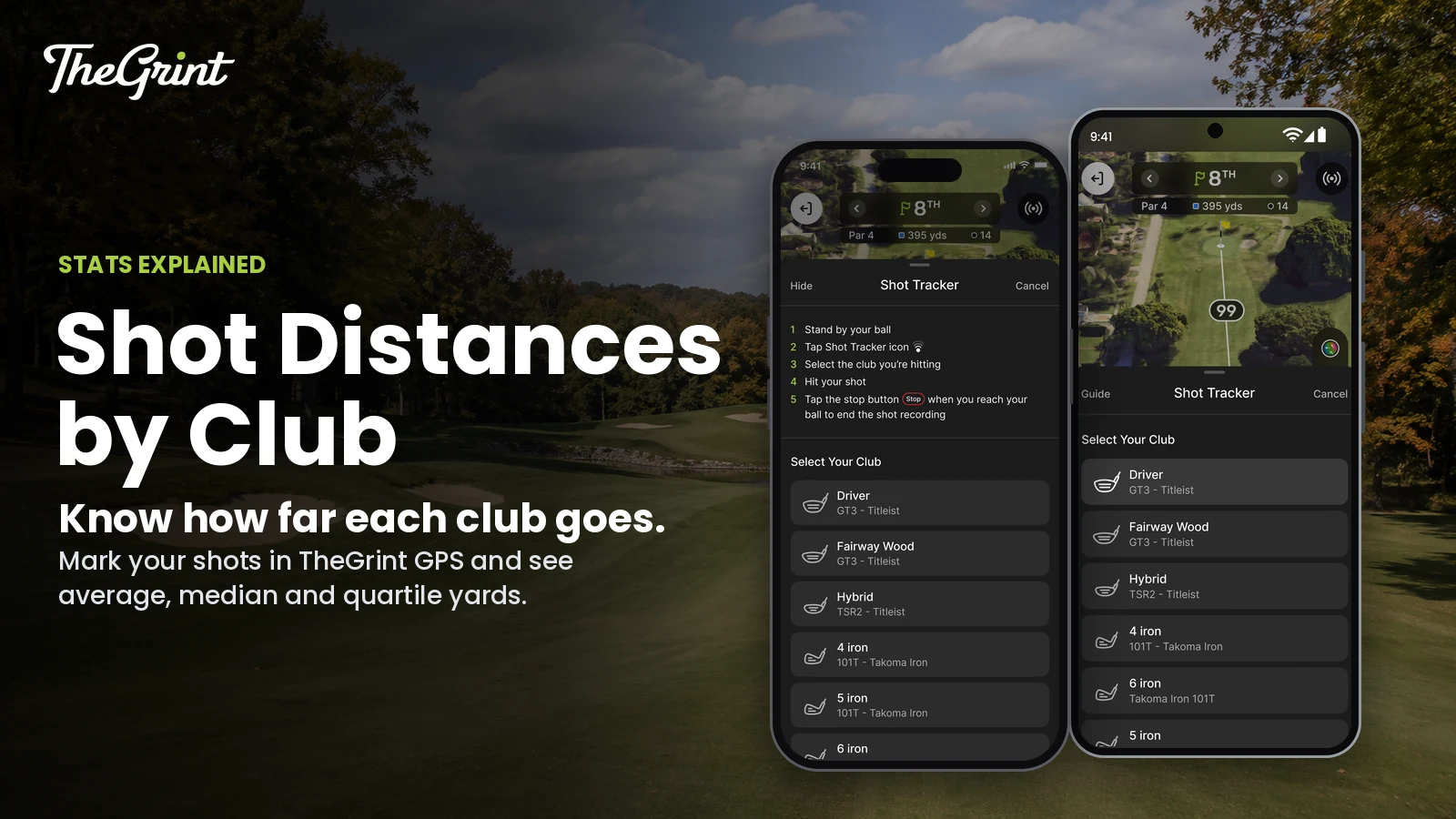
TheGrint shot tracking is a manual Shot Tracker inside TheGrint GPS: you mark where a shot starts, walk to your ball and mark where it ends, and the shot feeds your distance stats. It does not detect shots automatically. Phone shot tracking is free and unlimited; tracking from a supported smartwatch is a Pro feature.
This guide covers tracking on your phone and watch, fixing shots after the round, and reading your average, median and quartile distances by club in Shot Distance stats (Pro).
Shot Tracker is one of the tools in TheGrint GPS, and the shots you track power the shot distance numbers in TheGrint stats. Phone tracking works in the free TheGrint app for iPhone and Android.
You track a shot on your phone by opening Shot Tracker, picking the club, marking the starting location, hitting the shot, walking to the ball and marking where it finished.
The club you pick comes from your bag in My Bag, so each shot counts toward that club's distances. The tracked shot can be displayed on the GPS map as a 3D parabola, which represents your shot, not a 3D model of the course.
Yes, with a Pro Membership on TheGrint you can track shots manually from Apple Watch Series 4 or later and from Android watches running Wear OS, without taking out your phone for each shot.
See everything TheGrint does on Apple Watch.

You edit tracked shots from the round's scorecard on your phone, whether you tracked them on the phone or the watch.
From there you can edit or delete any tracked shot.
Editing is particularly useful when you:
The Shot Distance and Shot Accuracy stats show how far and how straight your tracked shots go, with filters by club and club model. The Shot Distance views in Stats are part of a Pro Membership on TheGrint.
| Stat | What it shows |
|---|---|
| Shot distance | How far each tracked shot went, with filters by club and model |
| Dispersion | How widely your tracked shots spread |
| Average shot distance | Your mean distance by club and by club model |
| Median shot distance | Your middle shot by club and by club model |
| Longest-shot quartile | Your longest 25% of tracked shots |
| Shortest-shot quartile | Your shortest 25% of tracked shots |
| Fairway accuracy | Whether tracked tee shots hit or missed the fairway, using Tee Accuracy from the Score Tracker |
Tracked shots also feed Approach Proximity, a Pro stat that shows how close tracked approach shots finish to the hole by club and shot-distance bucket, and where misses finish.
One mishit drags the average down but barely moves the median. Example (illustrative numbers, not real data): you track eight 7-iron shots of 95, 138, 142, 144, 146, 148, 150 and 153 yards.
So this golfer's typical 7-iron goes about 145 yards and a good one 150 or more. TheGrint does not recommend which club to hit; these are your own historical distances.
My Bag supplies the clubs you choose from when you start a tracked shot. If you have set up your bag on TheGrint, Shot Tracker shows your own clubs, however many you carry, including fewer than 14. If you have not set up a bag, TheGrint shows a default bag.
Set it up with how to declare your bag in TheGrint.
Yes, tracking shots on your phone is free and unlimited. The Shot Distance views in Stats, which turn those shots into distances by club, are part of a Pro Membership on TheGrint.
| Feature | Free | Pro |
|---|---|---|
| Phone Shot Tracker (manual) | Unlimited shots | Unlimited shots |
| Watch Shot Tracker (Apple Watch, Wear OS) | Not included | Included |
| Shot Distance views in Stats | Not included | Included |
| Approach Proximity | Not included | Included |
| Automatic shot detection | Not available | Not available |
Compare every feature on TheGrint Free vs Pro. For more advanced features, try TheGrint Pro free for 7 days.
No. TheGrint does not detect shots automatically, on the phone or on a smartwatch. Shot Tracker is manual: you mark where each shot starts and where it finishes, and each shot is tagged with the club you pick from My Bag. Because every shot is one you choose to record, track mishits as well as good swings so your distances reflect how you really play.
Yes, with a Pro Membership on TheGrint. Pro members can start and finish tracked shots on Apple Watch Series 4 or later and on Wear OS watches without taking out their phone, and the watch can give haptic reminders while a shot is active. Free members can still track unlimited shots on the phone and use watch GPS distances.
No. If you have set up your bag on TheGrint, Shot Tracker shows the clubs you carry, however many that is. If you have not, it shows a default bag. Each tracked shot is tagged with the club you pick, which feeds Shot Distance by club and model and Approach Proximity by club. Tracking stays manual, with no automatic club detection.
For judging a typical shot, the median is usually more reliable. The average adds every tracked shot and divides by the count, so one topped or chunked shot pulls it down. The median is the middle shot when all are lined up by distance, so a single mishit barely moves it. TheGrint's Shot Distance stats (Pro) show both, by club and model.
Declare your bag, open Shot Tracker in your next round and mark each shot from start to finish. After a few rounds, Shot Distance stats (Pro) show how far you really hit every club. TheGrint is free on iPhone and Android. Get started with TheGrint.


