


Ghost Mode: Play Against Your Own Best or Average Round
Ghost Mode is a TheGrint feature that adds a Ghost player to your scorecard based on your own history at the course. Choose Match vs. Best to play against your best previous round there, or Match vs. Average to play against the average of all your rounds there. It works at courses you've played before.
Last reviewed:
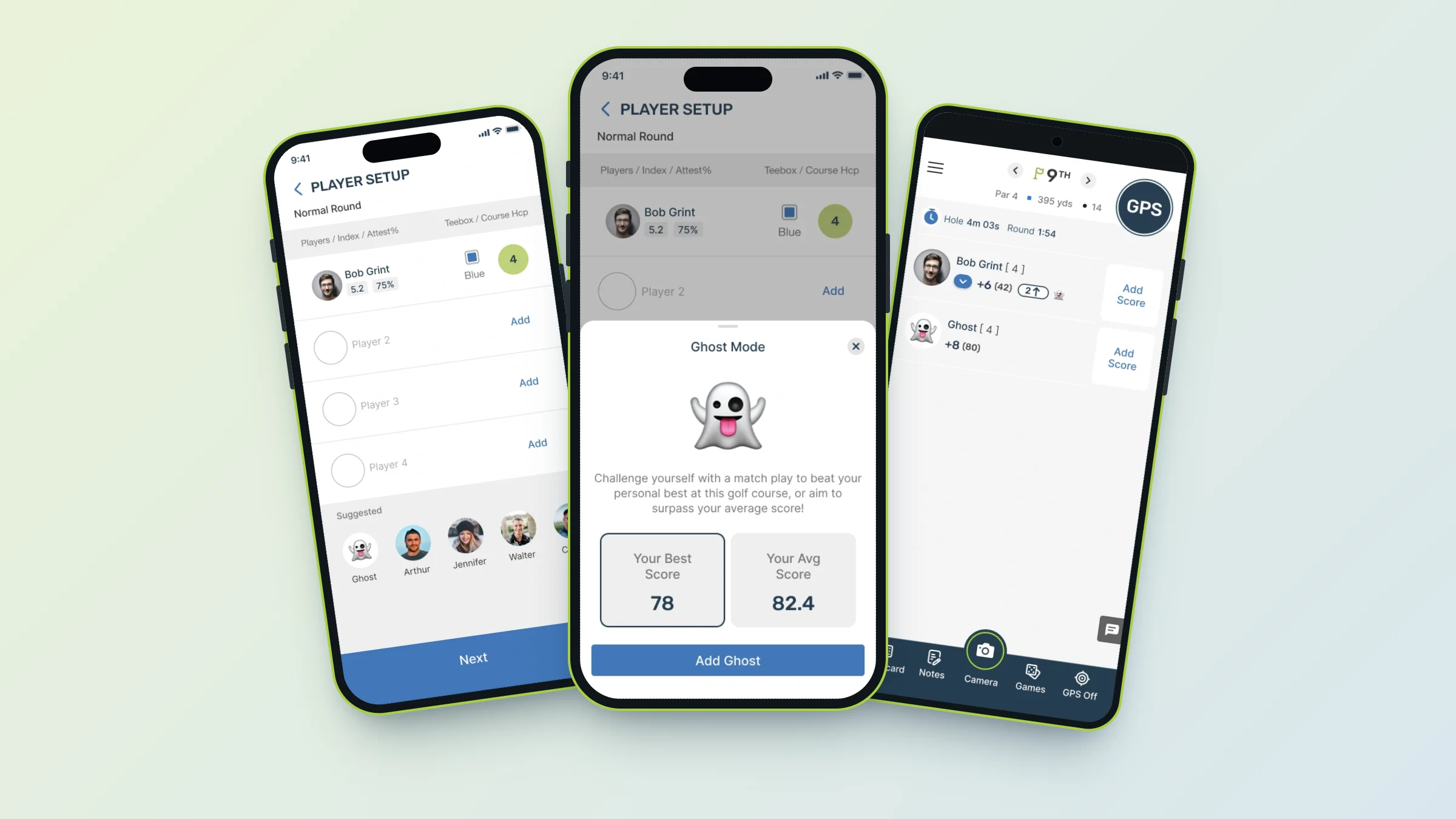
- Free: Ghost Mode is included for Free and Pro members.
- Two Ghosts: Match vs. Best and Match vs. Average.
- Your history only: the Ghost is built from your own rounds at that course.
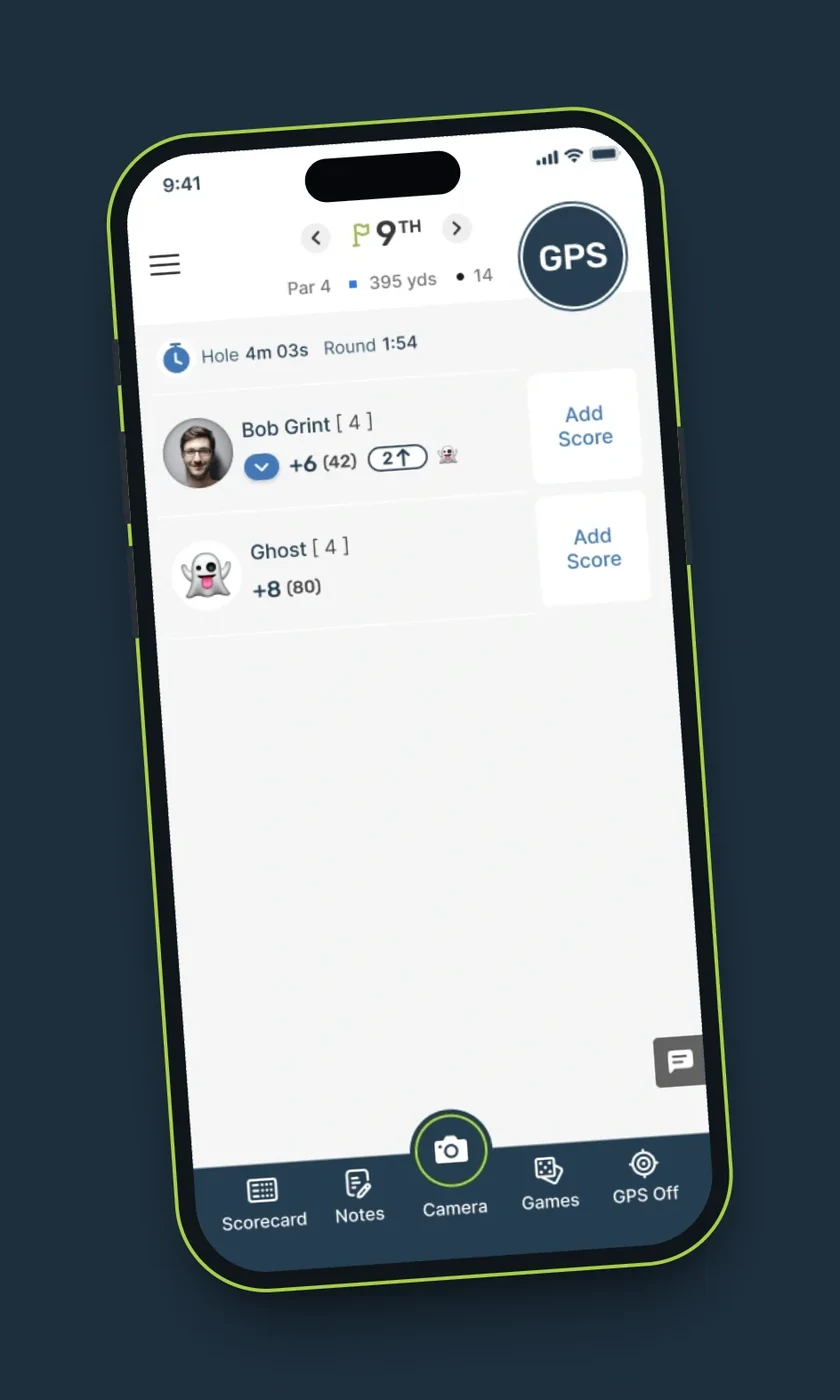
- Where it shows: the Ghost appears as a player on your score-tracking screen.
- Requirement: you need to have played the course before.
- Group size: works with up to 3 other players in the round.
How Ghost Mode works
Add the Ghost when you set up your players and it joins your scorecard as a player. As you enter your scores, you can see hole by hole how you stack up against your own past golf at that course. It turns a solo round into a match.
Match vs. Best or Match vs. Average
- Match vs. Best uses the scores from your best previous round at that course. Beat it and you've set a new personal best there.
- Match vs. Average uses the average score of all your rounds at that course, a benchmark for your typical day there.
Playing with friends
You can keep the Ghost in a round with up to 3 other players. If you add a fourth player, the Ghost is removed, so the most you'll see on screen is you, 3 other players and the Ghost.
Not an AI opponent
The Ghost isn't a simulated golfer. It's built only from your own scores at that course.
Friends and your Ghost
Race your Ghost while friends follow along
Your round still works like any other on TheGrint: friends can follow your live score, and your stats update when you upload.
- Up to 3 other players plus your Ghost
- Live scores for friends who follow you
- Your round counts toward your stats as usual
How to add your Ghost
- Tap Play and open Player Setup.
- Under Suggested, tap Ghost.
- Choose Your Best Score or Your Avg Score at that course.
- Tap Add Ghost. Your Ghost appears on the score tracker next to you.
Free vs Pro: Ghost Mode
| Feature | Free | Pro |
|---|---|---|
| Ghost - Match vs. Best | ✓ | ✓ |
| Ghost - Match vs. Average | ✓ | ✓ |
| Play the Ghost with up to 3 other players | ✓ | ✓ |
Ghost Mode FAQ
What is Ghost Mode in golf?
On TheGrint, Ghost Mode adds a Ghost player to your scorecard built from your own past rounds at the course, so you can play a match against yourself.
What's the difference between Match vs. Best and Match vs. Average?
Match vs. Best uses your best previous round at that course. Match vs. Average uses the average of all your rounds at that course.
Is Ghost Mode free?
Yes. Ghost Mode is available to Free and Pro members.
Can I use Ghost Mode at a course I haven't played?
No. Ghost Mode needs your own history at the course, so it only works at courses you've played before.
How many players can I have with Ghost Mode on?
Up to 3 other players. Adding a fourth removes the Ghost.
Is the Ghost an AI golfer?
No. The Ghost is based only on your own scores at that course.


