


Golf Green Maps: See Slope and Break Before You Putt
Green Maps in TheGrint show the slope and break of a green in color: gray for nearly flat (about 0 to 1%), stronger colors for steeper slopes, and arrows for break direction. Green Maps cover 25,000+ courses and are a Pro feature on the phone and supported watches. Free members get 3 lifetime trial views.
Last reviewed:
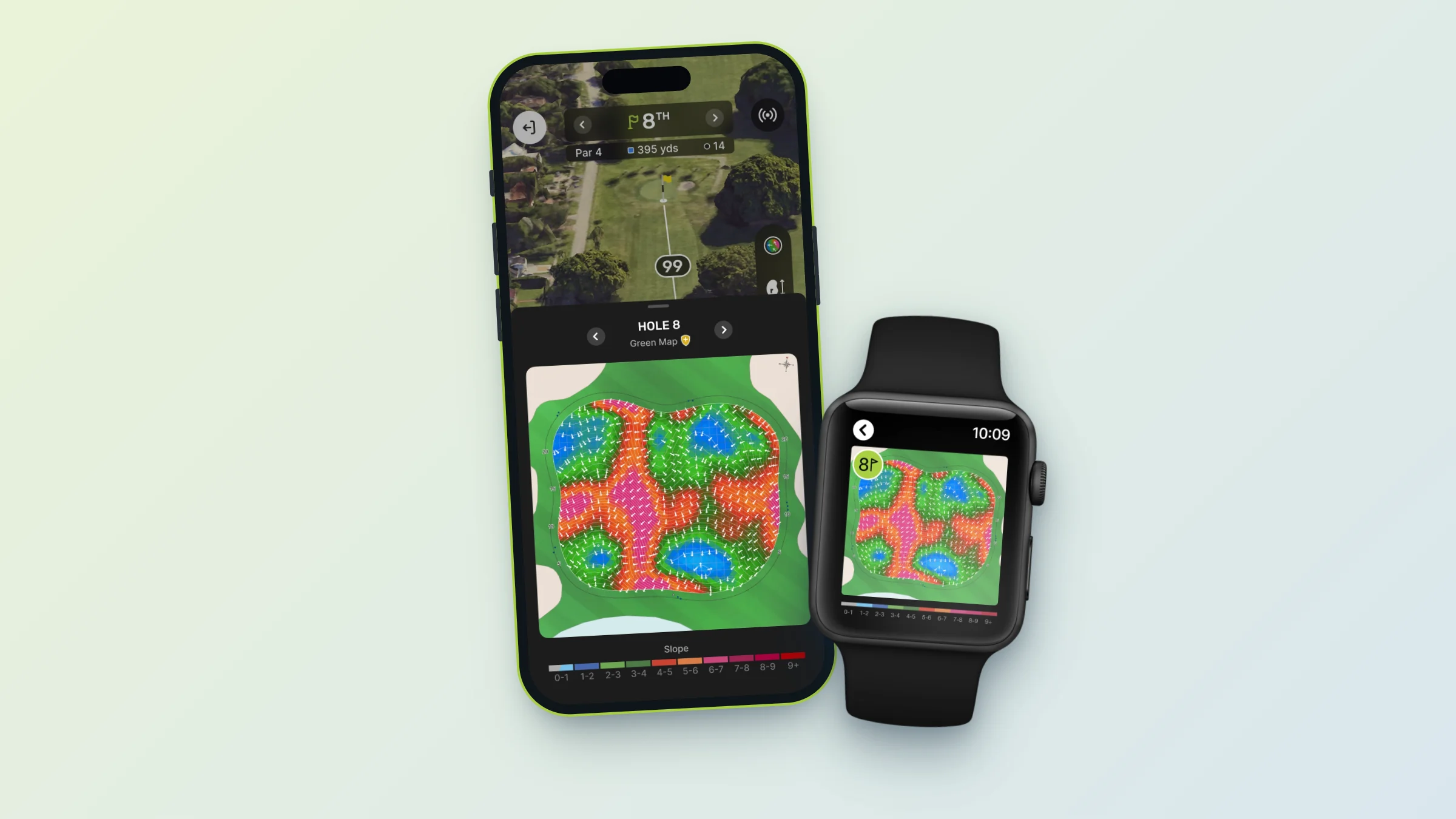
- Courses: 25,000+ courses have Green Maps.
- Colors: gray is roughly 0 to 1% slope; stronger colors mean steeper slopes.
- Arrows: show which way the green breaks.
- Pro feature: unlimited with Pro. Free members get 3 lifetime trial views.
- On your watch: Green Maps work on Apple Watch and Wear OS with Pro.
- Auto-Open: Pro members can have the Green Map open automatically.
How to read a Green Map
A Green Map colors the green by how steep it is. Gray areas are close to flat, about 0 to 1% slope. The stronger the color, the steeper the slope. Arrows show the direction the ball will break. Together they show you where the green is flat, where it falls away and which way putts will move.
Better approach shots, not just better putts
Check the Green Map from the fairway to pick the side of the green that leaves an easier putt, then check it again on the green before you read your line. It sits in the GPS tools alongside your front, center and back distances.
Green Maps on your watch
With Pro, Green Maps also work on Apple Watch Series 4 or newer and on Android watches running Wear OS, so you can see slope and break without taking out your phone. See the Apple Watch & Wear OS golf app.
What Green Maps are not
Green Maps are slope and break maps. They are not 3D models of the green.
On your wrist
Green Maps on your phone and watch
Pro members see the same slope colors and break arrows on the phone and on a supported watch, next to front, center and back yardages.
- Available on 25,000+ courses
- Apple Watch and Wear OS
- Auto-Open Green Map for Pro
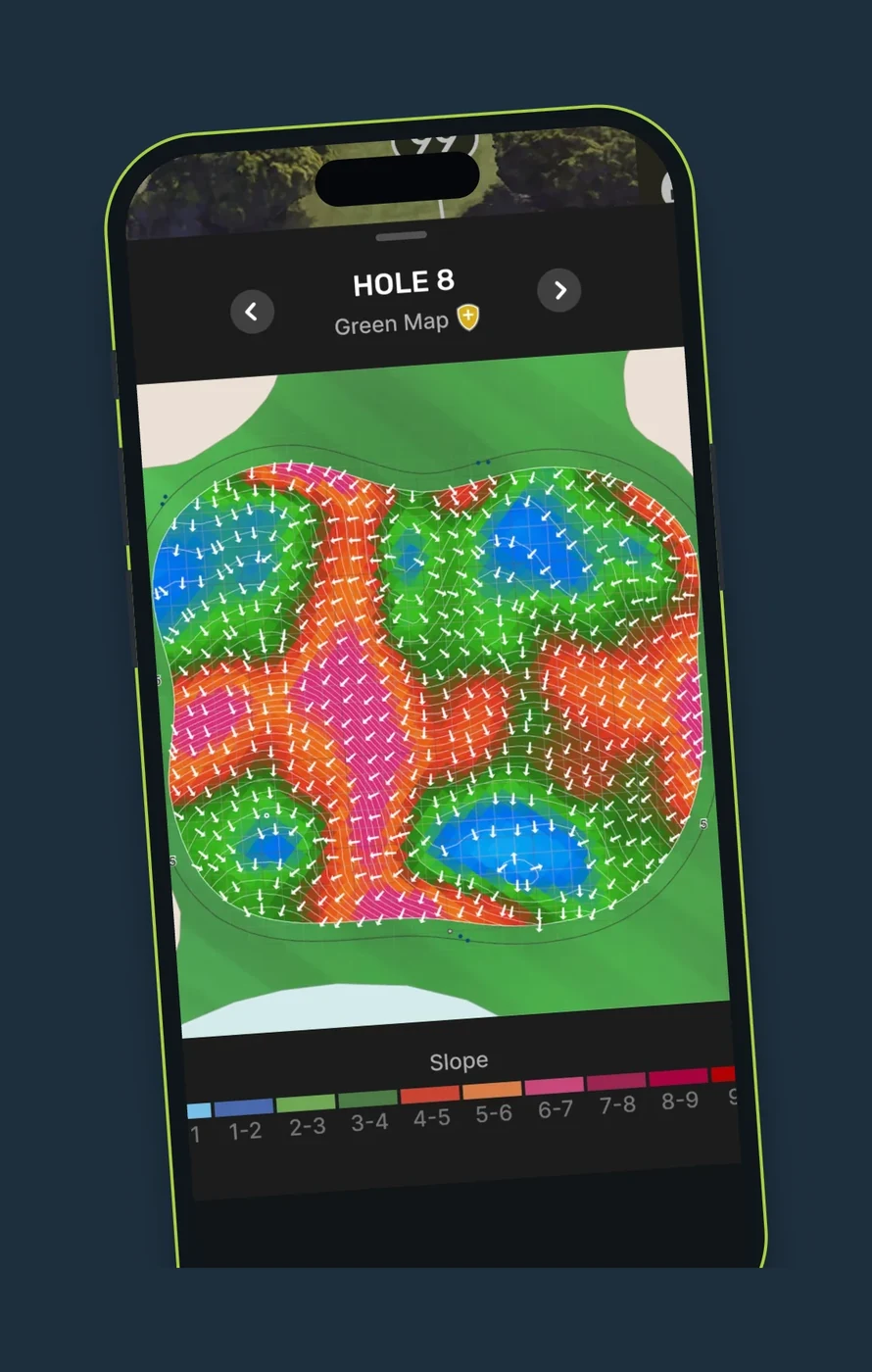
How to open a Green Map
- Start a round with GPS on a course that has Green Maps.
- Open Green Maps from the GPS tools.
- Read the colors for slope and the arrows for break.
- Pro members can turn on Auto-Open Green Map.
Free vs Pro: Green Maps
| Green Maps | Free | Pro |
|---|---|---|
| Green Maps on the phone | 3 lifetime trial views | Unlimited |
| Green Maps on your watch | – | ✓ |
| Auto-Open Green Map | – | ✓ |
Pro comes with a 7-day free trial.
Green Maps FAQ
Are TheGrint Green Maps free?
Green Maps are a Pro feature. Free members get 3 lifetime trial views, not 3 per round. After that, Green Maps need Pro.
How many courses have Green Maps?
Green Maps cover 25,000+ courses.
What do the colors on a Green Map mean?
Gray shows roughly 0 to 1% slope. Stronger colors show steeper slopes, and arrows show the break direction.
Are Green Maps 3D?
No. Green Maps are slope and break maps, not 3D models of the green.
Do Green Maps work on Apple Watch?
Yes, with Pro. Green Maps work on Apple Watch Series 4 or newer and on Wear OS watches.


