


Teams Cup: Run a Multi-Session Team Golf Competition
Teams Cup is TheGrint's team-match competition mode. Set up to 8 sessions, each with its own course and format, and TheGrint keeps score in the background: 1 point for a match win, half a point to each team for a tie. It's free for all members and ends with a full Teams Cup Summary.
Last reviewed:
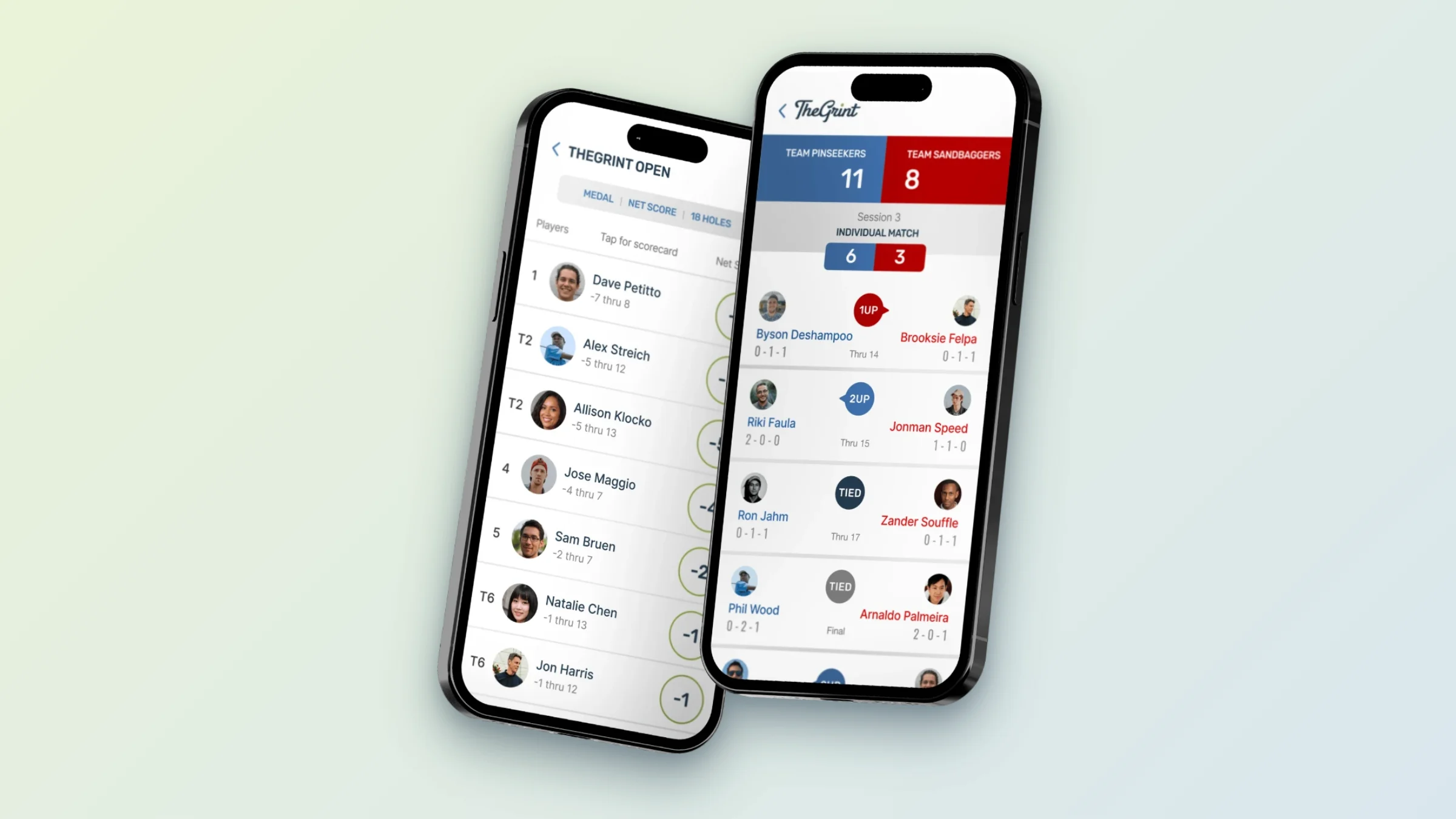
- Sessions: up to 8, each with its own course, tees, dates and format.
- Formats: alternate shot, best ball, medal, four-ball, scramble and more.
- Points: 1 for a match win, 1/2 to each team for a tie.
- Live: tap Teams Cup while scoring to see the full competition.
- Finish early: end a match when it's decided and keep tracking your round.
- Free: Teams Cup is included for Free and Pro members.
A team cup for your golf trip, club or group
Teams Cup brings the structure of the big international team events to your own golf: two teams, a series of matches and a running points total. Use it for golf trips, club-vs-club matches, friend-group events and multi-day or multi-course competitions.
Sessions and formats
A Teams Cup can have up to 8 sessions. Each session pairs a course with a format, such as alternate shot, best ball, medal, four-ball or scramble, and has its own start and end dates and tees. Sessions appear in order on the main Teams Cup page.
Match day
The organizer creates the Teams Cup and its sessions; players don't need to be added in advance. On match day each player joins the Teams Cup leaderboard, picks the right session and team, adds a partner if the format needs one, and tracks the round as usual. TheGrint works out the match results and points in the background. Default team handicaps depend on the format and can be edited during player selection.
When a match ends early
Match play can finish before the 18th hole. Choose End Match & Keep Tracking to lock in the result and finish your round, or End Match & Exit if you're done.
Follow every match and see the summary
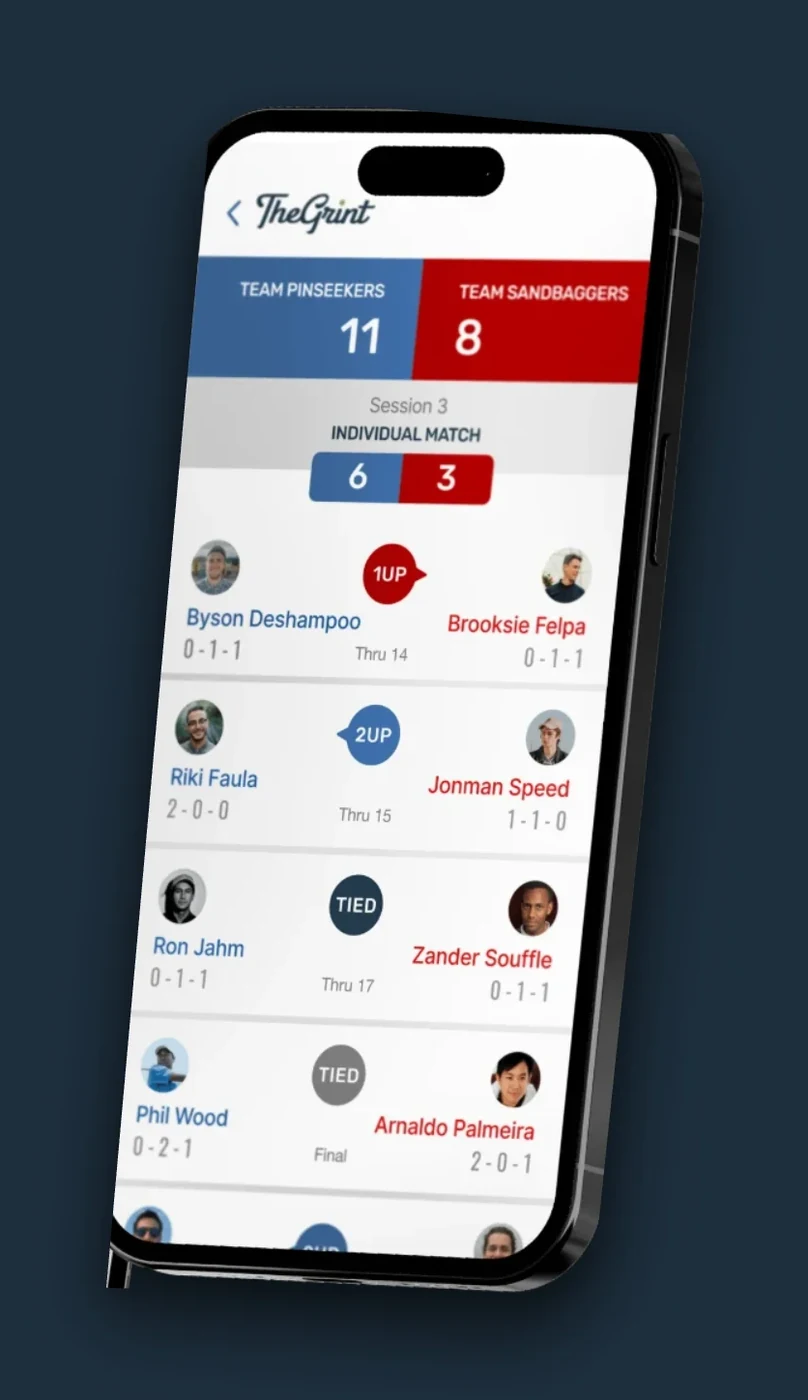
After your session, return to the Teams Cup leaderboard as an observer and follow the matches still being played. When it's all over, the Teams Cup Summary shows every match, the result and how the points were awarded. Reopen it any time from Stats, then Leaderboards.
Live team scoring
Every match, every point, live
Players score their own rounds and TheGrint updates the team standings in real time.
- 1 point for a win, 1/2 each for a tie
- Observers can follow every session
- Teams Cup Summary at the end
Teams Cup is TheGrint's own format and isn't affiliated with any professional team event.
How to set up a Teams Cup
- Tap Play from Home.
- Tap Play on a Leaderboard, then Create.
- Choose Teams Cup.
- Enter the competition details and add your sessions: course, tees, dates and format.
- Tap Create and share the name and password with players.
Free vs Pro: Teams Cup
| Feature | Free | Pro |
|---|---|---|
| Create and join a Teams Cup | ✓ | ✓ |
| Live leaderboards | ✓ | ✓ |
| Teams Cup Summary | ✓ | ✓ |
Teams Cup FAQ
What is Teams Cup on TheGrint?
Teams Cup is TheGrint's multi-session team-match competition. Teams earn points by winning or tying matches across up to 8 sessions.
How are points awarded?
A match win earns the team 1 point. A tied match gives each team 1/2 point.
Is Teams Cup free?
Yes. Teams Cup is available to both Free and Pro members.
Can a match end before the 18th hole?
Yes. Use End Match & Keep Tracking to finish the match and keep recording your round, or End Match & Exit if you're finished.
Can people follow the matches without playing?
Yes. Golfers can follow the Teams Cup leaderboard as observers, including after they finish their own session.


