



TheGrint HQ

7 minutes
Updated
November 19, 2026
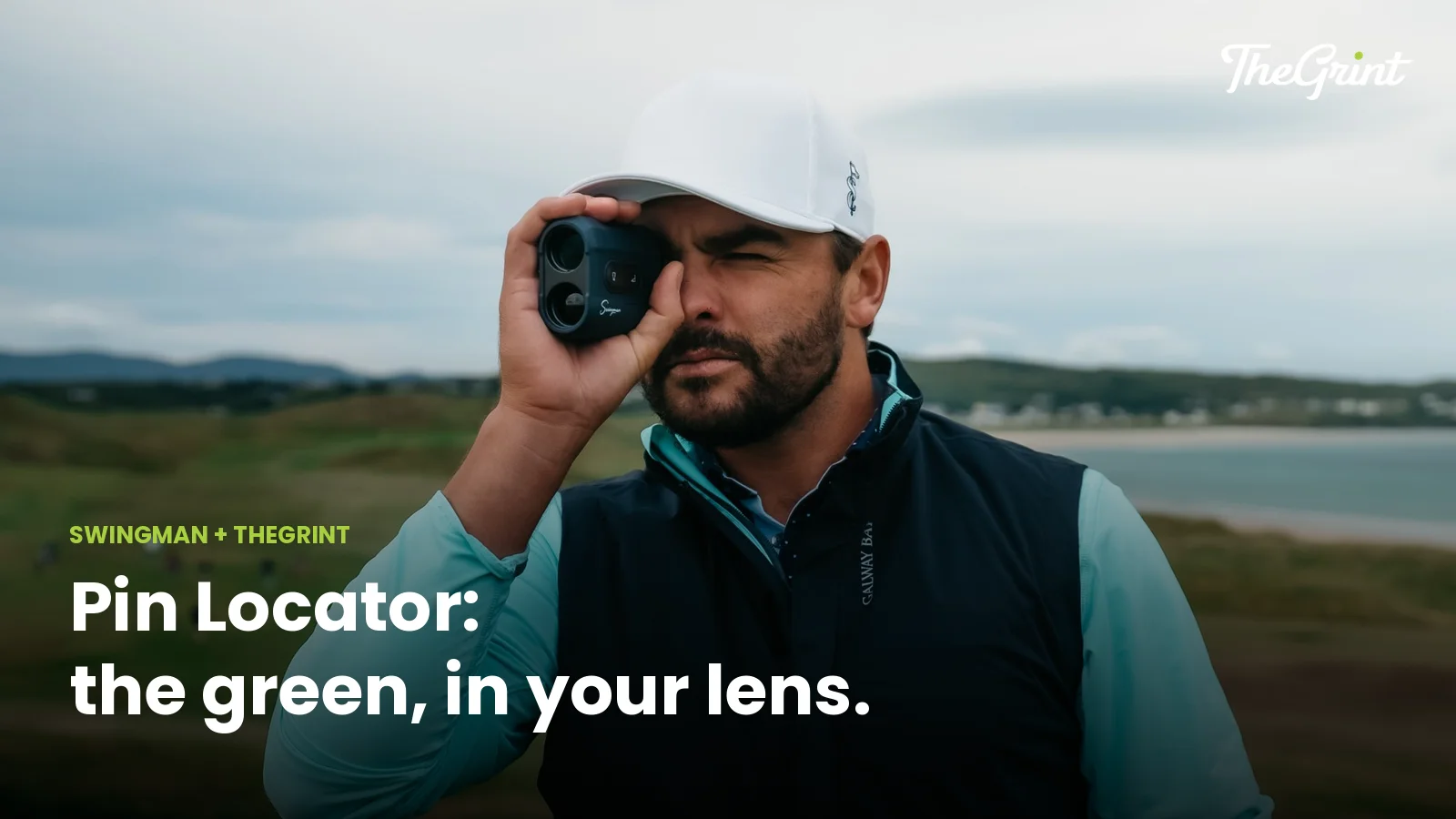
To use a Swingman rangefinder with TheGrint, pair it once in the app under Rangefinder settings, start a round with GPS on, and power on the rangefinder. Pin Locator then puts front, center and back green distances and Relative Pin Position right in your lens. Pin Locator needs TheGrint Pro; the laser, slope and Flag Lock work without it.
This guide covers pairing step by step, what you get with and without Pro, a simple routine for using the laser and the app together on every hole, and fixes for the most common connection problems. Get TheGrint first if you don't have it yet.
When it's paired, your Swingman rangefinder shows TheGrint's green data next to the laser yardage, so one look gives you the flag and the whole green. Without the app it is still a full laser rangefinder.
| Feature | Swingman on its own | Paired with TheGrint Pro |
|---|---|---|
| Laser distance to the flag or any target | Yes | Yes |
| Slope-adjusted distance (switchable) | Yes | Yes |
| Flag Lock with vibration | Yes | Yes |
| Front, center and back of the green (Pin Locator) | No | Yes, in the lens |
| Relative Pin Position on the green (Pin Locator) | No | Yes, in the lens |
| Pin Locator on the external quick-view display | No | Yes, Autograph only |
Pin Locator uses TheGrint's course data, so it works on courses with TheGrint GPS. TheGrint GPS itself is free on 40,000+ courses; Pin Locator on the rangefinder is the Pro part. See everything Pro adds on the Free vs Pro page.
You pair once from the Rangefinder settings in TheGrint, and after that the rangefinder reconnects on its own each time you turn it on.
Before you start:
Pairing steps:
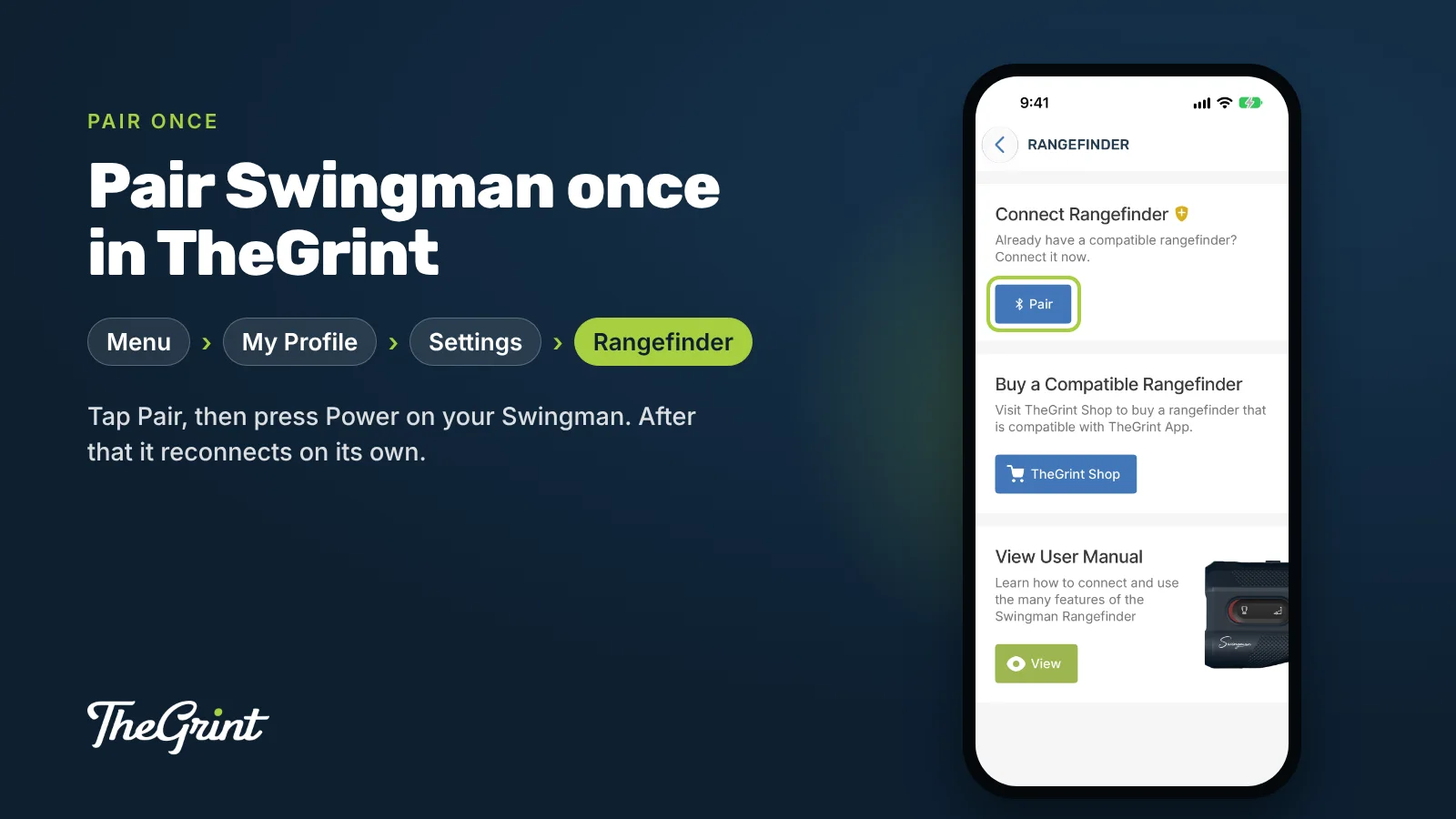
A Swingman pairs with one phone at a time. If a playing partner wants to use it with their app, disconnect it from yours first.
Start a round in TheGrint, switch to GPS, then power on the rangefinder and check for the Bluetooth symbol in the viewfinder. Front, center and back distances for the hole you're on appear in the lens.
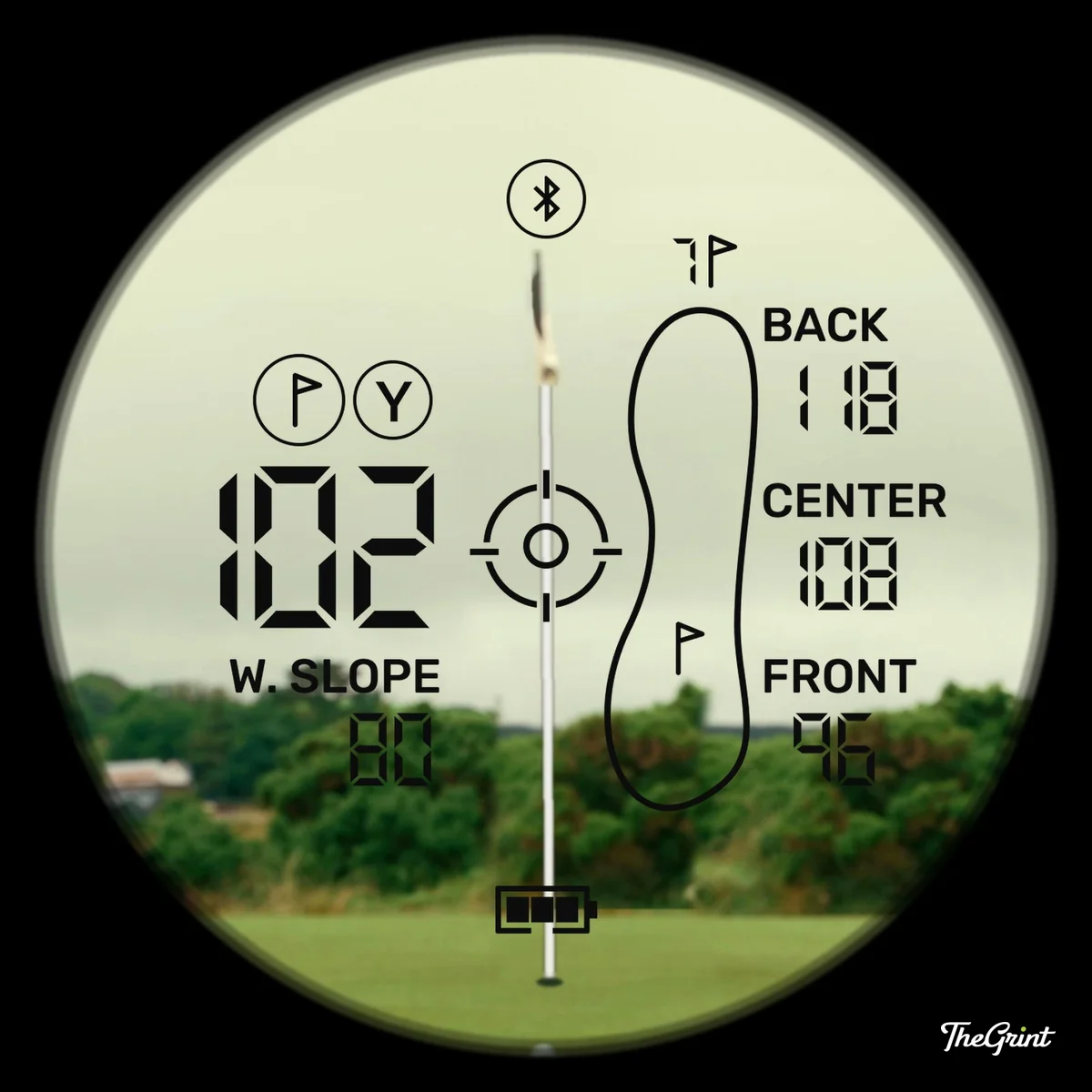
The data flows one way, from your phone to the rangefinder, and it is based on where your phone is. Keep the phone in your pocket or on the cart near your ball for the most accurate green numbers.
Use the laser when you can see your target and want an exact number, and the app when you can't see it or need the shape of the hole. Together they cover every shot.
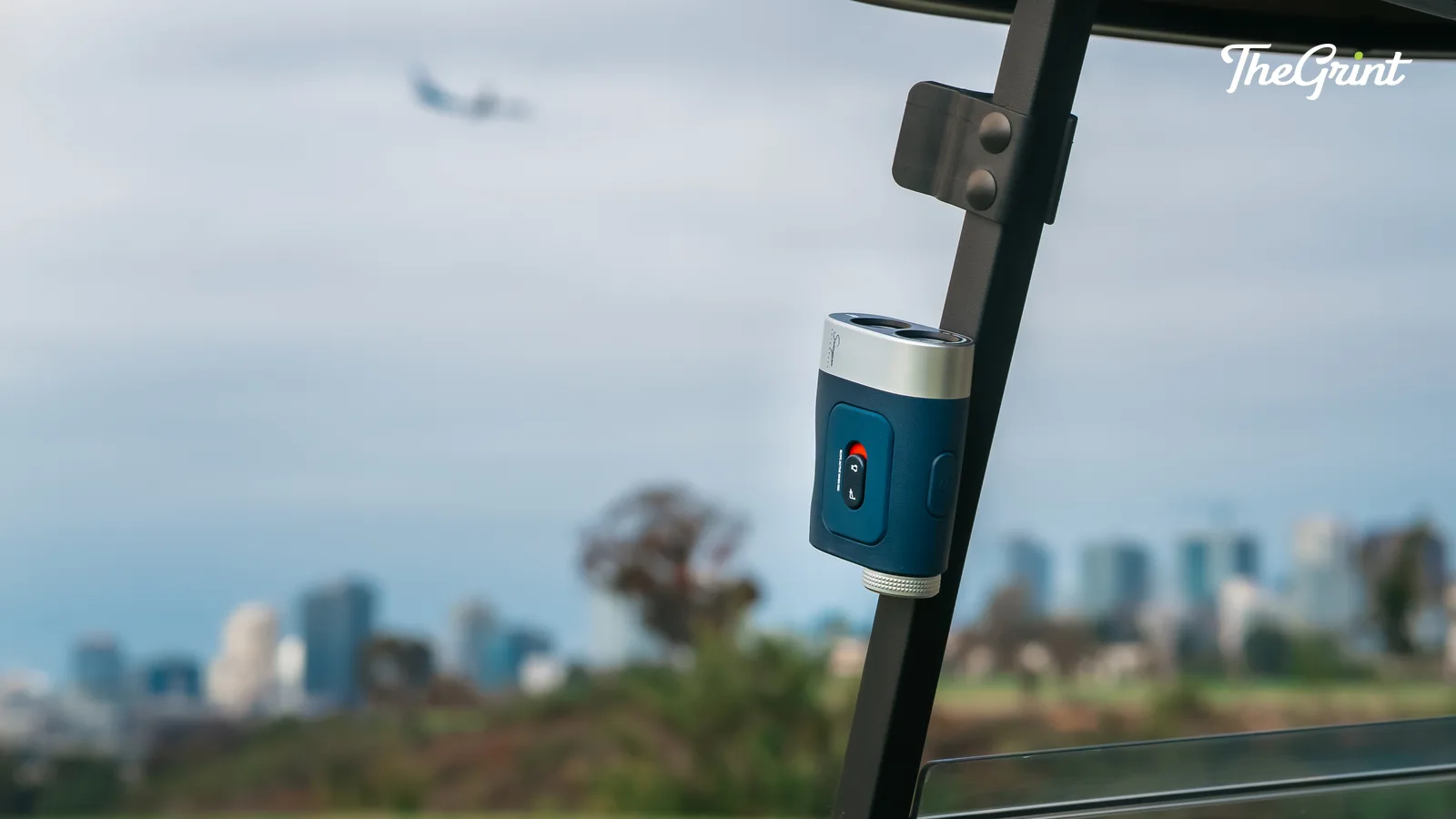
Between shots, the magnetic mount holds the rangefinder on the cart frame, so it is ready when you reach your ball.
Then keep score in TheGrint as usual, so your stats build every round. For a deeper look at when each tool helps most, read Golf GPS vs Rangefinder.
Slope is a feature of the Swingman itself: it adjusts the laser distance for uphill and downhill shots, so an uphill target reads longer and a downhill one reads shorter. Turn it off for tournament play.
The slope-adjusted number shows in the lower left of the display, next to the straight-line distance. Many competitions don't allow slope, so switch it off and check your event's rules before you play. The GPS distances in TheGrint app are always straight-line yardages; slope comes only from the rangefinder.
Most connection problems come from Bluetooth or location permissions, so check those first, then reconnect.
Battery matters too. A full charge lasts about 5 to 10 rounds with Bluetooth on, and charging over USB-C takes about 1 to 2 hours.
Both Swingman models pair with TheGrint and show Pin Locator in the lens. The Autograph adds an external quick-view display, longer range and water resistance.
| Feature | Swingman Classic Rangefinder | Swingman Autograph Rangefinder |
|---|---|---|
| Pin Locator in the lens (Pro) | Yes | Yes |
| Pin Locator on an external display (Pro) | No | Yes, quick-view display |
| Range | 600+ yards | Up to 1,000 yards |
| Slope, switchable off | Yes | Yes |
| Flag Lock | Yes, with vibration | Yes, with dual vibration |
| Magnification | 7x | 7x |
| Water resistance | — | IPX6 |
| Charging | USB-C | USB-C |
No. The laser distance, slope and Flag Lock work on their own, with or without TheGrint. You need an active TheGrint Pro membership only for Pin Locator, which adds front, center and back green distances and Relative Pin Position to the display. To check your membership, open your profile, tap the settings gear and choose Membership.
No, it pairs with one phone at a time. After the first pairing it reconnects to that phone each time you turn it on. To use it with another phone, go to the Rangefinder settings in TheGrint on the first phone, tap Disconnect, and then pair it on the new phone with the usual steps.
Relative Pin Position is part of Pin Locator. When you shoot the flag, the green outline in the lens shows where the pin sits on the green from front to back, next to the front, center and back distances. It helps you see how much green you have short of and past the hole before you choose a club.
About 5 to 10 rounds per charge with Bluetooth on, depending on how much you use it. It charges over USB-C in about 1 to 2 hours. To stretch a charge, start each round fully charged, turn it off between holes, take single shots instead of scanning, and keep it in your bag in cold weather.
Turn slope off for tournament play. Slope adjusts the laser distance for elevation, which many competitions don't allow, and with it off the rangefinder shows the straight-line distance. Check your event's rules before you play, because local rules decide which distance-measuring features are allowed.
Pair your Swingman, start a round and let Pin Locator put the whole green in your lens. TheGrint is free, always. For Pin Locator and more advanced features, try TheGrint Pro free for 7 days.


